
REM to Pixels Converter — HTML5 Canvas, WebGL & Raster Graphics
Converting REM units back to absolute pixels is required when programming HTML5 `` elements, WebGL shaders, SVG viewBox coordinates, and raster PNG banner exports. Because 2D canvas drawing contexts (`ctx.font = "28px Inter"`) and bitmap image generators do not parse stylesheet CSS rem units, multiplying rem values by the root base yields the exact raster pixel magnitude.
Typography Studio
When to use REM vs EM?
REM (Root EM)
Relative to the HTML (Root) element's font size. Predictable and consistent across the entire page.
- Best for Typography (H1, H2, Body)
- Best for Main Layout Padding/Margin
- Ensures Global Scalability
EM (Relative EM)
Relative to the Immediate Parent's font size. Units "cascade" and can compound based on nesting.
- Best for Component-specific scaling
- Best for Icons inside text
- Modular & Self-contained
Design Insights
The 16px Standard
Most browsers default to 16px as the root font size, which is why 1rem usually equals 16px.
Accessibility First
Using REM units is a key requirement for WCAG accessibility compliance as it respects user zoom settings.
Golden Ratio
Many designers use 16px base with a 1.618 scale to create harmonious typography systems.
Device Independence
CSS pixels are "reference pixels", not physical hardware pixels, ensuring consistent sizing across displays.
Conversion Formulas
PX to REM
rem = target_px / root_baseExample: 24px / 16px = 1.5rem
REM to PX
px = target_rem * root_baseExample: 2rem * 16px = 32px
PX to REM Reference Table (Base: 16px)
| Pixel (PX) | REM (Root) | EM (Relative) | Percentage (%) | Typical Usage |
|---|---|---|---|---|
| 6px | 0.375 rem | 0.375 em | 37.5% | Caption |
| 8px | 0.500 rem | 0.500 em | 50.0% | Caption |
| 10px | 0.625 rem | 0.625 em | 62.5% | Caption |
| 12px | 0.750 rem | 0.750 em | 75.0% | Caption |
| 14px | 0.875 rem | 0.875 em | 87.5% | Caption |
| 16px | 1.000 rem | 1.000 em | 100.0% | Body |
| 18px | 1.125 rem | 1.125 em | 112.5% | Body |
| 20px | 1.250 rem | 1.250 em | 125.0% | Heading |
| 24px | 1.500 rem | 1.500 em | 150.0% | Heading |
| 32px | 2.000 rem | 2.000 em | 200.0% | Heading |
| 40px | 2.500 rem | 2.500 em | 250.0% | Display |
| 48px | 3.000 rem | 3.000 em | 300.0% | Display |
| 64px | 4.000 rem | 4.000 em | 400.0% | Display |
Overview & Capabilities
Converting REM units back to absolute pixels is required when programming HTML5 `` elements, WebGL shaders, SVG viewBox coordinates, and raster PNG banner exports. Because 2D canvas drawing contexts (`ctx.font = "28px Inter"`) and bitmap image generators do not parse stylesheet CSS rem units, multiplying rem values by the root base yields the exact raster pixel magnitude.
How to Use
Key Features
Common Use Cases
Tips & Best Practices
Related Tools

Pixels to REM Converter
Convert pixels to REM units (px to rem) instantly with custom base font sizing. Perfect for responsive CSS stylesheets, Figma tokens, and accessibility.
Bytes to Bits Converter
Convert bytes to bits (B to b) instantly. Calculate cryptographic key lengths, memory buffer alignment, SHA-256 bitwidths, and raw bit streams.
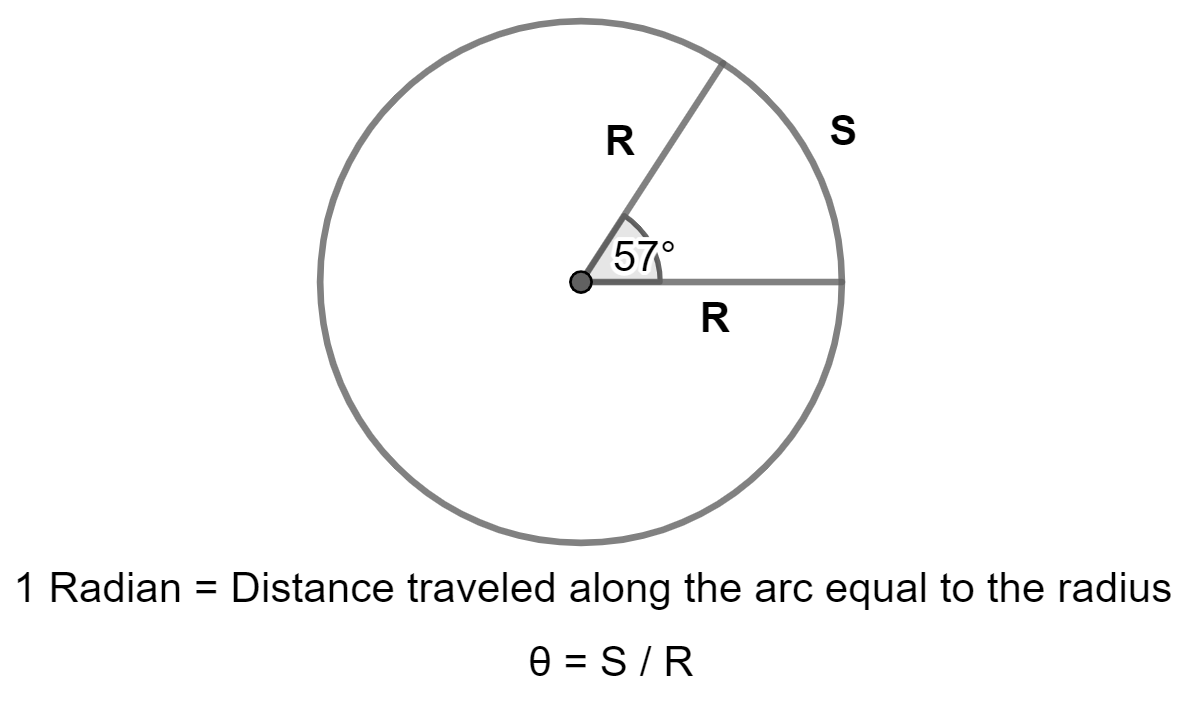
Degrees to Radians Converter
Convert degrees to radians (deg to rad) instantly with exact π notation. Calculate angles for JavaScript Math functions, robotic arm servos, and navigation.

Power Converter
Universal power converter for Watts (W), Kilowatts (kW), Horsepower (HP), BTU/hr, and Tons of Refrigeration. Calculate HVAC AC cooling loads and electrical capacity.
Frequently Asked Questions
Q What is 1.5rem in pixels?
1.5rem equals 24px (1.5 × 16px).
Q What is 2rem in pixels?
2rem equals 32px with standard 16px root font.
Q What is 1.25rem in pixels?
1.25rem equals 20px.
Q What is 0.875rem in pixels?
0.875rem equals 14px.