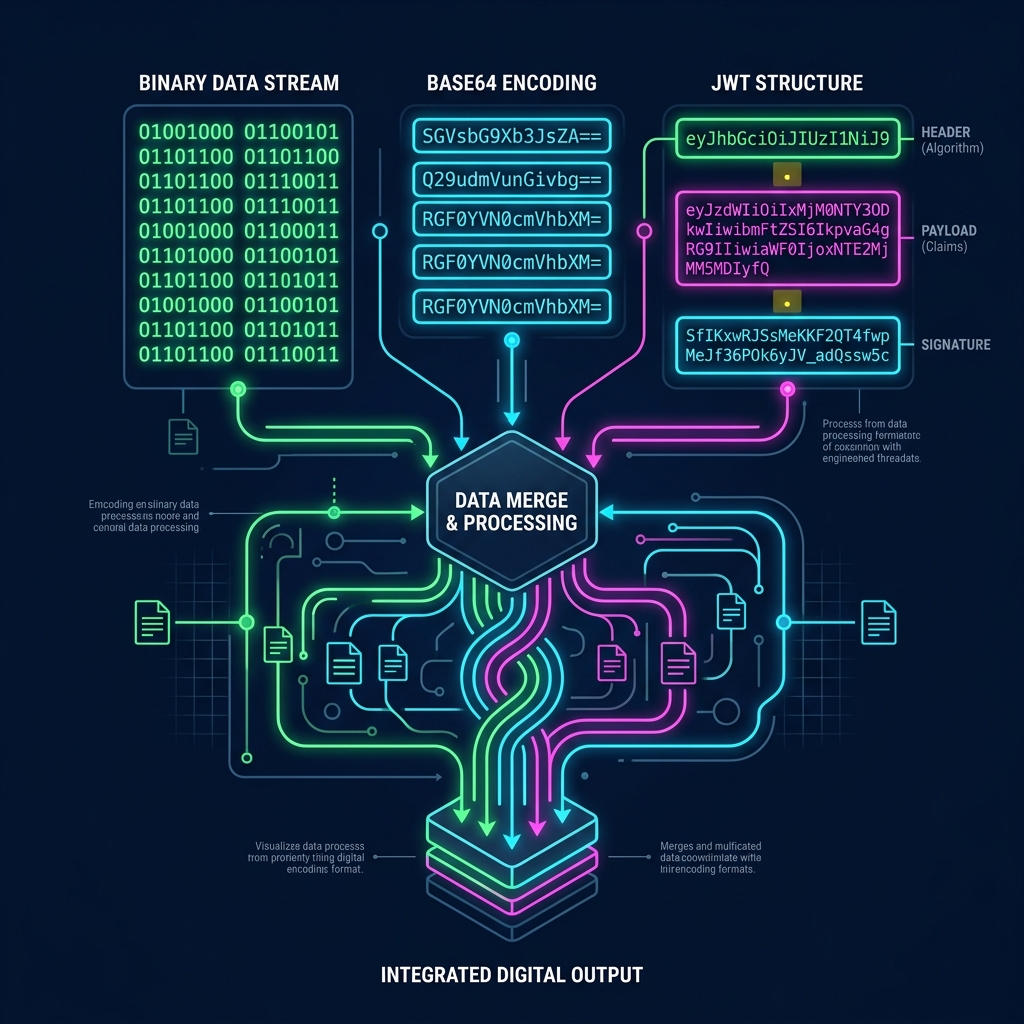
Introduction: The World of Bits and Bytes
To a computer, everything is a number. Images, text documents, password hashes, and network packets are all ultimately represented as streams of binary digits (0s and 1s). However, humans don't communicate in binary, nor do web protocols always transmit raw binary bytes safely.
This is where data encoding comes in. Encoding is the process of converting data from one form to another so it can be stored, transmitted, or read reliably across different systems. In this comprehensive guide, we'll demystify the most popular encoding schemes used in modern web development, explain how they work under the hood, and help you select the best format for your specific use cases.
🖥️ The Data Encoding Spectrum
Encoding vs. Encryption vs. Hashing
Before jumping into formats, let's establish a key boundary. Developers frequently confuse encoding, encryption, and hashing. They are not the same thing:
- Encoding: Reversible conversion of data to a different representation for standard compatibility. There is no key, and it is not secure (e.g. anyone can decode Base64).
- Encryption: Secures data by transforming it into cyphertext using a mathematical key. Only holders of the secret key can decrypt it back into plaintext (e.g. AES, RSA).
- Hashing: A one-way mathematical function that maps input data of any size to a fixed-size string (e.g. SHA-256). It is theoretically irreversible and is used for verifying integrity or storing passwords.
1. Binary Encoding: The Silicon Standard
At the lowest physical layer, digital circuits store information using transistors that act as switches—on (1) or off (0). A single 1 or 0 is called a bit, and a group of 8 bits is a byte.
To store text, the computer maps each character to a numerical index (called a code point), and writes that index in binary. For example, in the ASCII character set, the uppercase letter 'A' is mapped to the decimal number 65. In 8-bit binary, 65 is represented as 01000001.
💡 How Character to Binary Conversion Works
'A' Text Character 65 ASCII Decimal 01000001 8-Bit Binary ByteUse the Binary to Text Converter to translate raw binary bits back into readable text or vice versa.
---2. Hexadecimal Encoding (Hex): Human-Friendly Bytes
While computers love binary, writing long lists of 1s and 0s is extremely tedious and error-prone for humans (e.g. 010000010110001001100011 is hard to read). To make byte streams readable, developers use hexadecimal encoding (Base16).
Hexadecimal uses 16 characters: 0-9 and A-F. A single hex digit can represent exactly 4 bits of binary (a "nibble"). This means a standard 8-bit byte can be perfectly represented by exactly **two hex digits**.
- Binary
0100is decimal 4 -> Hex4 - Binary
0001is decimal 1 -> Hex1 - Combined byte
01000001('A') -> Hex41
💡 How Binary maps to Hex (Base16)
Hexadecimal is widely used in CSS color codes (e.g. #4f46e5), debug memory dumps, and cryptographic hash outputs. Translate text instantly to hex format with our Text to Hex Converter.
3. Base64 Encoding: Safe Data Transmission
Many legacy web protocols (like email SMTP or HTTP headers) were designed to transfer only plain text. If you try to send a raw binary file (like a JPEG image or PDF) over these protocols, some characters may be interpreted as control commands (like end-of-file or carriage returns), corrupting the payload.
Base64 solves this. It takes a stream of binary bytes and groups them into chunks of 24 bits (3 bytes). It then splits these 24 bits into 4 groups of 6 bits each. Each 6-bit value (ranging from 0 to 63) is mapped to a character in a safe, standard index table containing 64 characters: letters (A-Z, a-z), numbers (0-9), and two special symbols (+, /). If the input data is not divisible by 3, trailing pad characters (=) are added.
💡 Base64 Splitting Process (3 Bytes to 4 Characters)
Byte 1 | Byte 2 | Byte 3 Input (24 Bits total) 6-bit | 6-bit | 6-bit | 6-bit Re-grouped into 4 slots Base64 ASCII CharactersThe Tradeoff: Because Base64 represents 3 bytes of binary data using 4 ASCII characters, it increases the overall file size by **approximately 33%**. It should only be used where binary-to-text safety is required. Encode files or strings instantly with the Base64 Encoder & Decoder.
---4. URL Encoding (Percent-Encoding)
URLs are designed to locate resources on the web, but they can only contain a limited subset of safe characters (alphanumeric characters, and a few symbols like -, _, ., and ~). Special characters (like spaces, ?, &, and =) are reserved because they act as query parameters, protocol markers, or folder separators.
If you need to pass data containing these special symbols inside a URL query parameter (for example, searching for "Hello & Goodbye"), you must apply URL encoding (Percent-encoding). The encoder replaces the unsafe character with a percent symbol (%) followed by the character's hexadecimal code:
- A space character becomes
%20(or+in some contexts) - The ampersand symbol (
&) becomes%26 - The equals sign (
=) becomes%3D
Input Query: Hello & Welcome ➔ URL Encoded: Hello%20%26%20Welcome
Encode query paths safely or parse complex request strings using the URL Encoder & Decoder.
---5. JWT (JSON Web Tokens): Signed Base64Url Payloads
A JSON Web Token (JWT) is a compact, URL-safe format used to securely transmit credentials or user identity between a client and server. If you look at a raw JWT, it appears as a long string separated by two dots:
eyJhbGciOiJIUzI1NiIsInR5cCI6IkpXVCJ9.eyJzdWIiOiIxMjM0NTY3ODkwIiwibmFtZSI6IkpvaG4gRG9lIiwiaWF0IjoxNTE2MjM5MDIyfQ.SflKxwRJSMeKKF2QT4fwpMeJf36POk6yJV_adQssw5c
Under the hood, a JWT is composed of three distinct segments: Header, Payload, and Signature:
- Header: Contains token metadata (e.g. the hashing algorithm used, like HS256).
- Payload: Contains actual user data (claims), such as the user ID, name, or session expiration time.
- Signature: Cryptographically verifies that the token wasn't tampered with by the client. It is generated by combining the Header and Payload with a secret key using a hashing algorithm.
Each of these three segments is separately encoded using **Base64Url** (a variant of Base64 that replaces + and / with URL-safe characters - and _, and removes padding). Because it is not encrypted, anyone can decode a JWT to view the payload. Decrypt and inspect payloads in your browser using the JWT Decoder Studio.
6. Unicode Standards: UTF-8 vs. UTF-16 vs. UTF-32
In the early days of computers, ASCII was enough because it only mapped English letters and basic symbols (using 7 bits, representing 128 characters). However, to support global languages, characters, and emojis, the tech community created Unicode—a massive database that maps every character in existence to a unique ID called a "code point".
Unicode defines the characters, but it doesn't specify how to write those code points as bytes. That is the job of Unicode encodings: UTF-8, UTF-16, and UTF-32.
UTF-8: The Web Standard
UTF-8 is a **variable-width** encoding. It represents characters using anywhere from **1 to 4 bytes**:
- Standard English letters (matching ASCII) take exactly **1 byte** (e.g. 'A' is
0x41). This makes UTF-8 extremely space-efficient for English text. - European and Middle Eastern characters take **2 bytes**.
- Asian characters take **3 bytes**.
- Special emojis (like 🚀) take **4 bytes**.
Because of its backward-compatibility with ASCII and high efficiency, UTF-8 is used by **over 98% of all websites**.
UTF-16: The Desktop Standard
UTF-16 is also a variable-width encoding, but it uses either **2 or 4 bytes** (minimum 16 bits) to represent each character. It is the native internal string representation for Windows, Java, and JavaScript engine runtimes. While it is efficient for multilingual systems using Asian character sets, it is less efficient for English text because basic letters take 2 bytes instead of 1.
UTF-32: The Simple Standard
UTF-32 is a **fixed-width** encoding. It represents every single character using exactly **4 bytes** (32 bits). Because every character is the same size, indexing strings (finding the N-th character) is extremely fast. However, it is highly space-inefficient, quadrupling the file size of English text.
| Format | Byte Width | Space Efficiency (English) | Primary Use Case |
|---|---|---|---|
| UTF-8 | Variable (1 - 4 bytes) | High (1 byte/char) | Web standards, network protocols, files |
| UTF-16 | Variable (2 or 4 bytes) | Medium (2 bytes/char) | Windows, Java, JavaScript internal runtimes |
| UTF-32 | Fixed (4 bytes) | Low (4 bytes/char) | Specialized compiler symbol tracking |
Convert unicode text, hex, and binary payloads or analyze raw bytes using our comprehensive client-side String Encoding & Converter Studio.